Translate Entire Excel Files with AI
Upload an XLSX, XLS, XLSM, or CSV file and translate every selected sheet into 100+ languages while keeping formulas, formatting, merged cells, and layout intact.
Upload Excel file
or drag and drop your file here
You can delete your file anytime
Whole-workbook translation
Translate an Entire Excel Workbook — Not One Cell at a Time
Translate complete Excel workbooks instead of copying cells one by one. Choose the content and languages you need, preview the result, and download a translated copy with the original structure preserved.
Upload an Excel fileTranslate multiple sheets in one workflow
Keep formulas, merged cells, styles, and layout intact
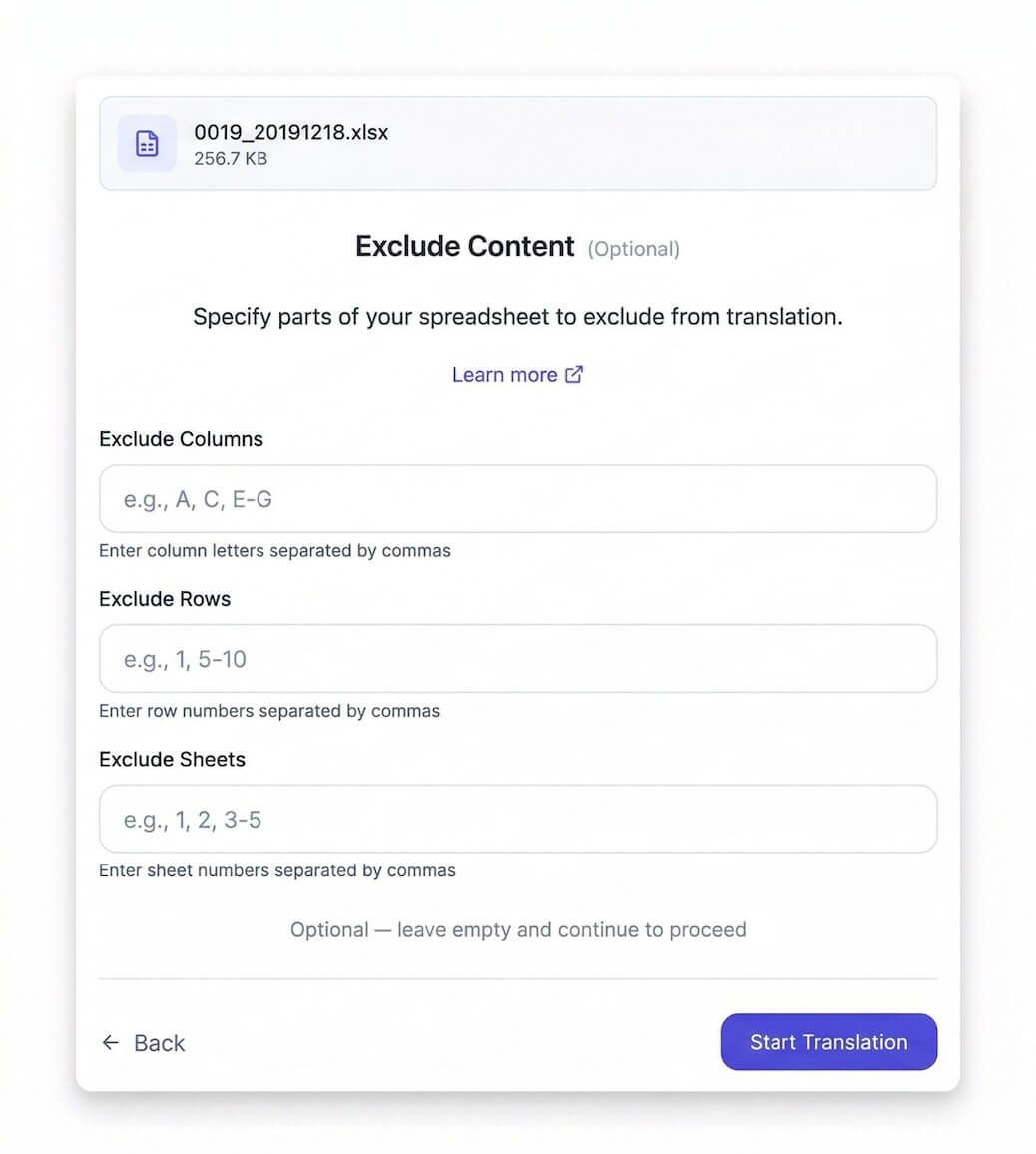
Exclude rows, columns, sheets, IDs, or reference data
Apply a custom glossary across the whole file
How Excel Translation Works
Configure your translation in 5 simple steps for precise, professional results.
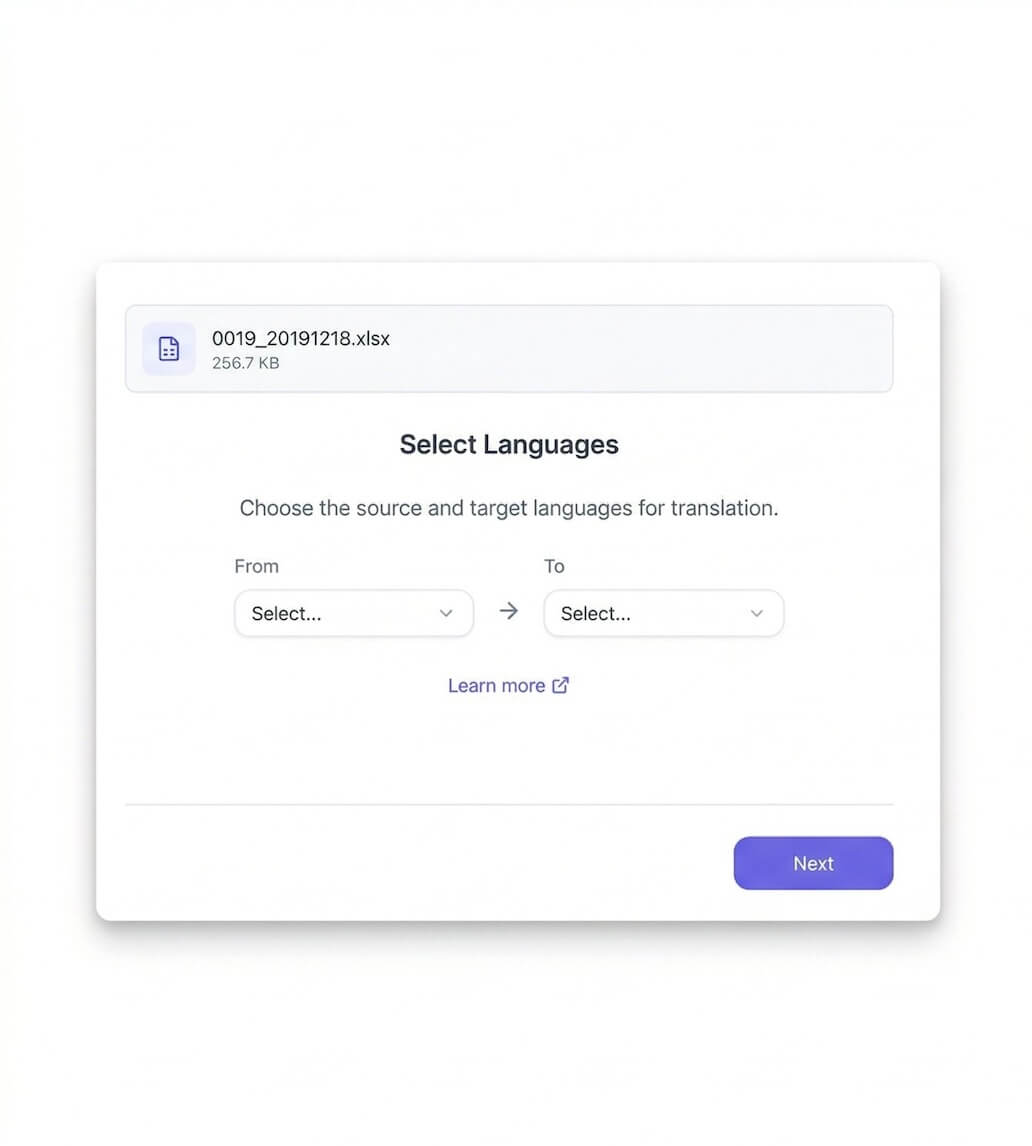
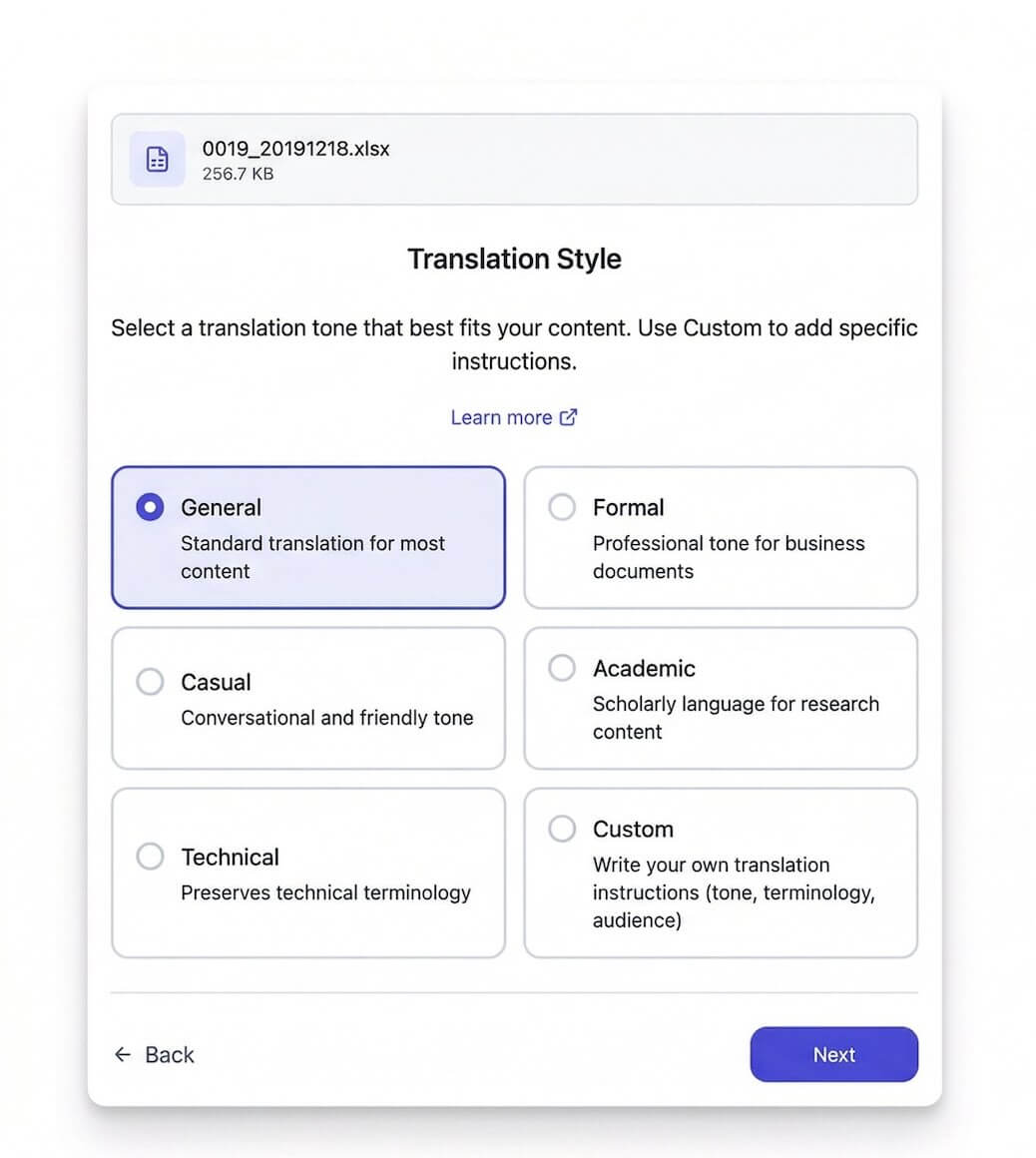
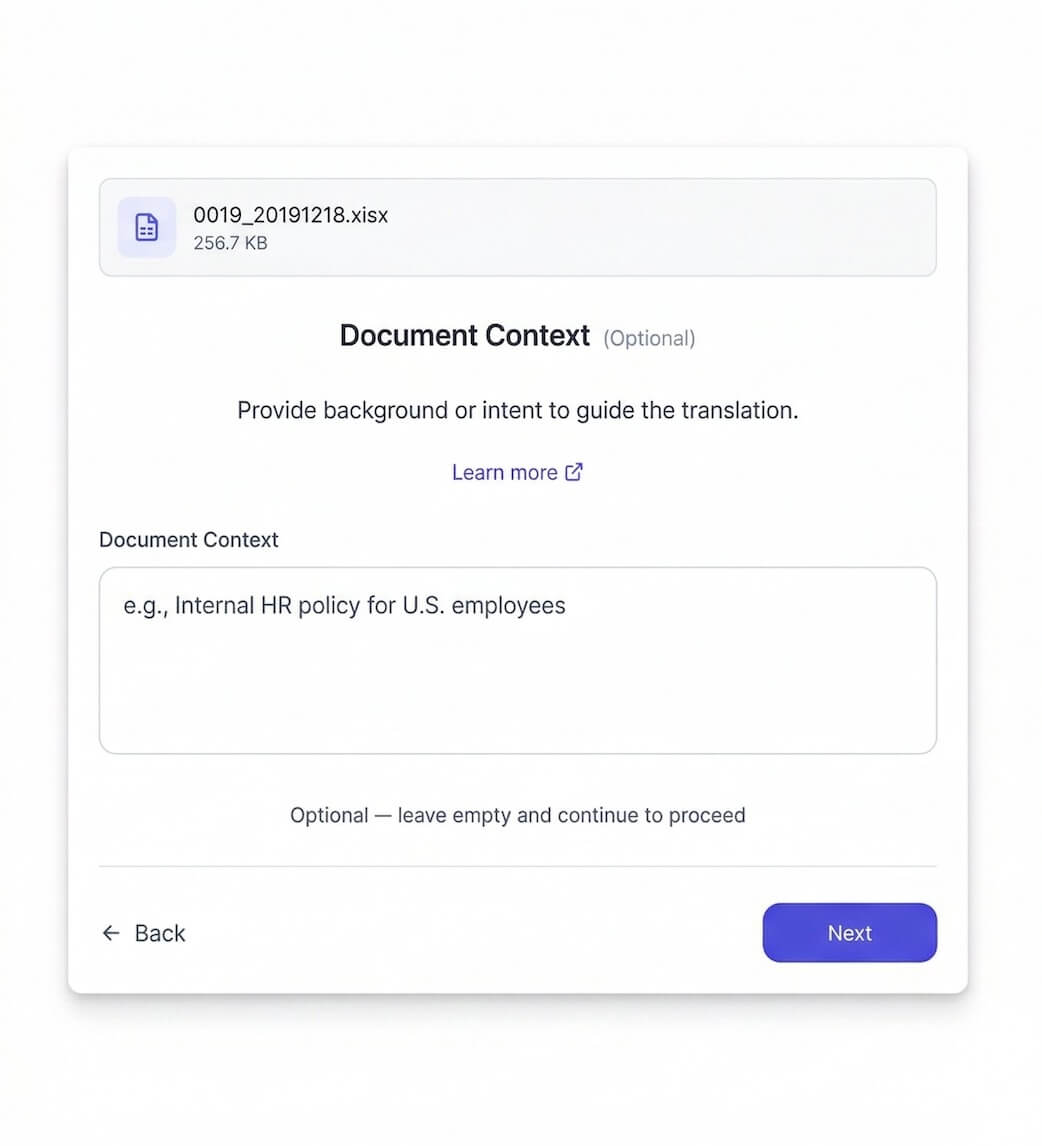
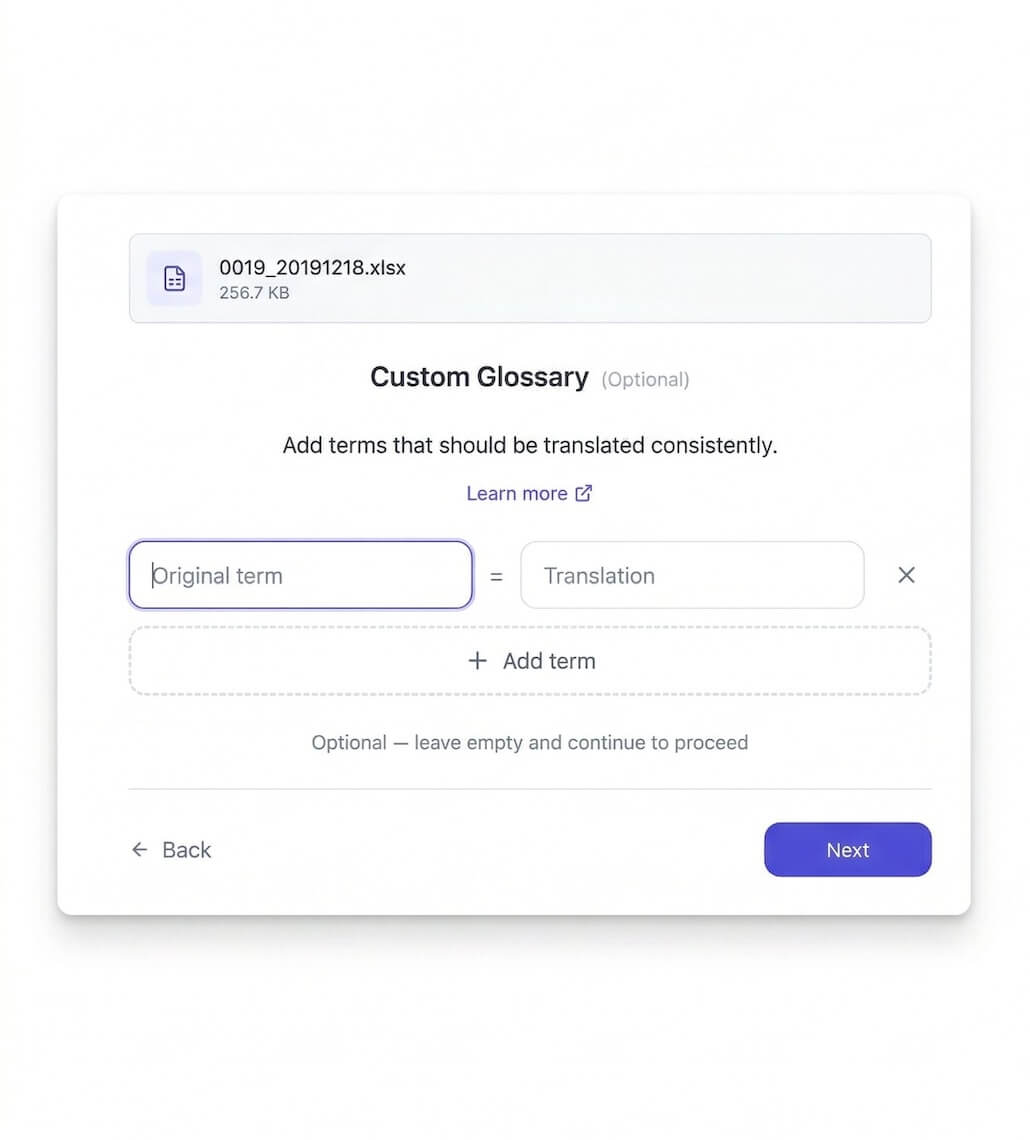
Why Choose ExcelTranslator.ai
Built for professionals who need accurate, fast, and reliable Excel translations.
Translate Entire Workbooks
Process a complete Excel file in one workflow instead of translating and pasting individual cells.
Translate Multiple Sheets
Translate the sheets you need together while preserving the workbook structure.
Layout Preservation
Your spreadsheet formatting, merged cells, and styles stay intact after translation.
Selective Translation
Choose exactly which cells, rows, or columns to translate. Keep headers, codes, or formulas untouched.
Glossary
Maintain consistent terminology across all your translations with custom glossaries.
100+ Languages
Translate to and from over 100 languages with high accuracy and natural phrasing.
Translate XLS, XLSX, XLSM, and CSV Files Online
Upload modern or legacy Excel formats and translate spreadsheet content without converting each sheet to plain text first.
Choose the right workflow
Whole-File Excel Translation vs. Cell-by-Cell Methods
Excel formulas and copy-paste methods work well for a few cells. A file-level translator is designed for complete workbooks where structure, formatting, and consistency matter.
| Translation task | ExcelTranslator.ai | Formulas and copy-paste |
|---|---|---|
| Translate an entire workbook | One upload processes the selected sheets together. | Repeat the formula or copy-paste workflow across each column and sheet. |
| Preserve formatting and layout | Keeps cell styles, merged cells, and workbook structure intact. | Primarily translates cell values and may require manual cleanup. |
| Handle existing formulas | Keeps existing formulas unchanged while translating surrounding text. | Translation formulas must be added, filled down, and managed cell by cell. |
| Control terminology and scope | Supports a custom glossary plus row, column, and sheet exclusions. | Usually requires separate setup and manual rules for each range. |
Cell-by-cell methods are often the simplest choice for a small range. File-level translation is better suited to complete, formatted workbooks.
What Our Users Say

"This tool saved me hours of work. The formatting stayed perfect and the translations were accurate."
Sarah Chen

"Finally, a translation tool that understands Excel formulas. No more broken spreadsheets!"
Michael Rodriguez

"Unlike DeepL or Google Translate, I can use my own glossary here. My industry terms stay consistent every time."
Emma Thompson
Translation Pricing — Pay As You Go
No subscription. Pay only for what you translate.
We charge based on the amount of text in your file. The base rate is $0.50 per 1,000 tokens.
For larger files, you automatically get volume discounts:
- First 20,000 tokens: $0.50 per 1K tokens
- 20,001 - 60,000 tokens: $0.25 per 1K tokens — 50% off
- Beyond 60,000 tokens: $0.10 per 1K tokens — 80% off
Example: Excel file with 3 sheets, ~10,000 tokens each = 30,000 tokens
Note: Prices above apply to the Pro model (minimum order $5). Choose the Lite model at upload to save up to 80% (minimum order $2.90).
Excel Translation Guides
Practical, tested guides for cell formulas, whole-workbook translation, Google Translate, and other Excel translation workflows.
Frequently Asked Questions
Answers about Excel file formats, whole-workbook translation, formatting, pricing, and privacy.
What Excel file formats and file sizes are supported?
Can I translate an entire Excel workbook at once?
Can I translate multiple sheets in one workflow?
Will formulas and formatting be preserved?
Can I translate selected sheets, rows, or columns only?
Can I translate an Excel file to English online?
Can I translate an Excel file online for free?
How much does it cost to translate an Excel file?
Can I use a glossary or custom translation instructions?
How are uploaded Excel files stored and deleted?
Can text in images, charts, or text boxes be translated?
How is ExcelTranslator.ai different from Google Translate or DeepL?
Ready to Translate Your Excel Files?
Upload your file now and get a free preview before paying.
Start Translating Now